pdf-xchange editor
软件: pdf-xchange




PDF-XChange Editor: A Comprehensive Free PDF Tool for Editing, Annotation, and More
PDF-XChange Editor is a powerful, free PDF solution developed by Tracker Software, designed to handle all aspects of PDF processing—from basic viewing to advanced editing—with no hidden fees or subscription requirements. It stands out as a lightweight yet feature-rich alternative to Adobe Acrobat, particularly for users seeking efficiency and affordability.
Core Editing Capabilities
The software enables direct text editing in PDFs: users can modify existing text (retaining original fonts and formatting), add new text, or remove content with a few clicks. Image manipulation is equally intuitive—insert, resize, move, or delete images within PDFs. For structured edits, it supports page-level operations like merging multiple PDFs, splitting chapters, extracting specific pages, or reordering pages to streamline document organization. These features make it easy to correct errors, tailor documents to needs, or assemble content from various sources.
Annotation & Markup Tools
PDF-XChange Editor excels in document review and collaboration with a robust set of annotation tools. Users can add text notes (like sticky notes), highlight text, draw arrows/lines, or insert shapes to mark important sections. For multimedia feedback, it supports adding audio recordings or video clips to pages—ideal for remote teams or detailed feedback. Pre-designed stamp templates (e.g., "Approved," "Confidential") save time for repetitive annotations, while 3D media support caters to technical documents requiring interactive elements.
Form Handling & OCR
For interactive documents, the editor includes a fillable form designer (available in the Plus version) to create text fields, checkboxes, dropdowns, and date pickers. This is perfect for surveys, invoices, or contracts that require user input. Additionally, the integrated OCR (Optical Character Recognition) engine converts scanned PDFs or images into searchable, editable text—supporting multiple languages (including English, German, French, and Spanish). OCR eliminates the need for manual data entry, making it easier to extract information from physical documents or image-based PDFs.
Conversion & Export Features
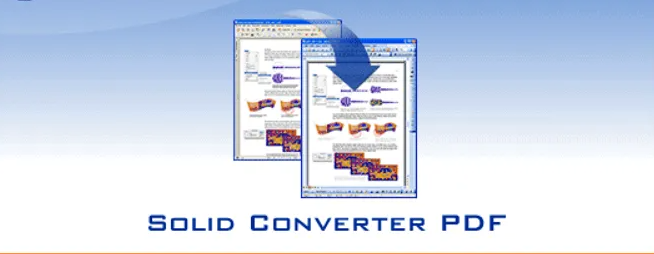
PDF-XChange Editor simplifies format conversion with built-in tools to export PDFs to Word, Excel, PowerPoint, or image formats (PNG, JPG). The conversion retains the original layout, ensuring tables, images, and text remain intact—unlike many free online converters that often mess up formatting. This feature is especially useful for editing PDF content in familiar Office applications or sharing documents with non-PDF users.
Security & Usability
Security is a key focus, with features like digital signatures (to authenticate documents), password protection (to restrict access), and redaction (to permanently remove sensitive text). For everyday use, the software is lightweight (installing in minutes) and offers a clean, intuitive interface—even older computers can run it smoothly. It integrates seamlessly with Windows Explorer, allowing users to right-click PDFs and open them directly in the editor. The free version includes the PDF-XChange Lite printer, enabling users to create PDFs from any printable document (e.g., Word files) without additional software.
Whether you're editing a contract, annotating a research paper, or converting a scan to editable text, PDF-XChange Editor provides a versatile, user-friendly solution for all your PDF needs—all without costing a dime.
PDF-XChange Editor is a powerful, free PDF solution developed by Tracker Software, designed to handle all aspects of PDF processing—from basic viewing to advanced editing—with no hidden fees or subscription requirements. It stands out as a lightweight yet feature-rich alternative to Adobe Acrobat, particularly for users seeking efficiency and affordability.
Core Editing Capabilities
The software enables direct text editing in PDFs: users can modify existing text (retaining original fonts and formatting), add new text, or remove content with a few clicks. Image manipulation is equally intuitive—insert, resize, move, or delete images within PDFs. For structured edits, it supports page-level operations like merging multiple PDFs, splitting chapters, extracting specific pages, or reordering pages to streamline document organization. These features make it easy to correct errors, tailor documents to needs, or assemble content from various sources.
Annotation & Markup Tools
PDF-XChange Editor excels in document review and collaboration with a robust set of annotation tools. Users can add text notes (like sticky notes), highlight text, draw arrows/lines, or insert shapes to mark important sections. For multimedia feedback, it supports adding audio recordings or video clips to pages—ideal for remote teams or detailed feedback. Pre-designed stamp templates (e.g., "Approved," "Confidential") save time for repetitive annotations, while 3D media support caters to technical documents requiring interactive elements.
Form Handling & OCR
For interactive documents, the editor includes a fillable form designer (available in the Plus version) to create text fields, checkboxes, dropdowns, and date pickers. This is perfect for surveys, invoices, or contracts that require user input. Additionally, the integrated OCR (Optical Character Recognition) engine converts scanned PDFs or images into searchable, editable text—supporting multiple languages (including English, German, French, and Spanish). OCR eliminates the need for manual data entry, making it easier to extract information from physical documents or image-based PDFs.
Conversion & Export Features
PDF-XChange Editor simplifies format conversion with built-in tools to export PDFs to Word, Excel, PowerPoint, or image formats (PNG, JPG). The conversion retains the original layout, ensuring tables, images, and text remain intact—unlike many free online converters that often mess up formatting. This feature is especially useful for editing PDF content in familiar Office applications or sharing documents with non-PDF users.
Security & Usability
Security is a key focus, with features like digital signatures (to authenticate documents), password protection (to restrict access), and redaction (to permanently remove sensitive text). For everyday use, the software is lightweight (installing in minutes) and offers a clean, intuitive interface—even older computers can run it smoothly. It integrates seamlessly with Windows Explorer, allowing users to right-click PDFs and open them directly in the editor. The free version includes the PDF-XChange Lite printer, enabling users to create PDFs from any printable document (e.g., Word files) without additional software.
Whether you're editing a contract, annotating a research paper, or converting a scan to editable text, PDF-XChange Editor provides a versatile, user-friendly solution for all your PDF needs—all without costing a dime.
武汉格发信息技术有限公司,格发许可优化管理系统可以帮你评估贵公司软件许可的真实需求,再低成本合规性管理软件许可,帮助贵司提高软件投资回报率,为软件采购、使用提供科学决策依据。支持的软件有: CAD,CAE,PDM,PLM,Catia,Ugnx, AutoCAD, Pro/E, Solidworks ,Hyperworks, Protel,CAXA,OpenWorks LandMark,MATLAB,Enovia,Winchill,TeamCenter,MathCAD,Ansys, Abaqus,ls-dyna, Fluent, MSC,Bentley,License,UG,ug,catia,Dassault Systèmes,AutoDesk,Altair,autocad,PTC,SolidWorks,Ansys,Siemens PLM Software,Paradigm,Mathworks,Borland,AVEVA,ESRI,hP,Solibri,Progman,Leica,Cadence,IBM,SIMULIA,Citrix,Sybase,Schlumberger,MSC Products...
相关推荐